Table of Contents
ToggleMotion sensor light bulbs have come a long way from the flickering, oversensitive fixtures that once annoyed more than they helped. Today’s models combine reliable detection technology with LED efficiency, turning any standard socket into a hands-free lighting solution. Whether you’re hauling groceries through the garage, stumbling to the bathroom at 2 a.m., or simply want to add a security layer to your home’s exterior, these bulbs offer practical benefits without running new wiring or hiring an electrician. This guide walks through how they work, where they shine brightest, and how to pick and install the right one for your space.
Key Takeaways
- A motion sensor light bulb uses built-in PIR sensors to detect movement and automatically illuminate without wiring changes, making it an accessible upgrade for any standard light socket.
- Motion sensor bulbs save energy by drawing only 9–12 watts when lit and less than 0.5 watts on standby, potentially lasting a decade or more compared to constantly-on incandescent fixtures.
- Optimal placement includes garages, staircases, bathrooms, basements, and outdoor entryways, with careful attention to sensor height and angle to avoid false triggers from pets or wind.
- Choose a motion sensor light bulb based on detection range (120–180 degrees), brightness (800–1,500 lumens depending on use), adjustable delay settings, and photocell override capability for windowless spaces.
- Proper installation requires turning off power at the circuit breaker, checking socket condition, securing the bulb snugly without overtightening, and testing activation within the detection zone.
- Keep the wall switch in the “on” position at all times, as motion sensor bulbs need continuous power to activate the sensor circuit and respond to movement.
What Is a Motion Sensor Light Bulb and How Does It Work?
A motion sensor light bulb is a self-contained LED bulb with built-in passive infrared (PIR) sensors that detect movement within a specific range. Unlike traditional motion-activated fixtures that require dedicated wiring and junction boxes, these bulbs screw directly into any standard E26 or E27 socket, the same base as most household bulbs.
The PIR sensor monitors infrared radiation (body heat) in its detection zone, typically 15 to 30 feet depending on the model. When the sensor registers a heat signature change, say, someone walking into a hallway, it triggers the LED array to illuminate. After a preset delay (usually adjustable between 30 seconds and 10 minutes), the light automatically turns off if no further motion is detected.
Most motion sensor bulbs include a light-dependent resistor (LDR) or photocell that prevents the bulb from activating during daylight hours. This feature conserves energy and extends bulb life, since the sensor circuit remains on standby but doesn’t power the LEDs until ambient light drops below a threshold, typically around dusk. Some models let you disable this photocell if you need 24/7 motion detection, such as in a windowless basement or interior closet.
The electronics package, sensor, microcontroller, and LED driver, sits inside the bulb housing, which means no external hub, app, or complicated setup. You’re trading smart-home integration for simplicity: screw it in, flip the switch to “on,” and it’s ready to work.
Key Benefits of Installing Motion Sensor Light Bulbs
Enhanced Home Security and Safety
A well-placed motion sensor light bulb indoor or outdoor fixture acts as both a visual deterrent and a practical safety upgrade. Exterior bulbs illuminate driveways, entryways, and side yards the moment someone approaches, making it harder for would-be intruders to approach unnoticed. According to security research, properties with visible motion-activated lighting are significantly less likely to be targeted, since criminals prefer working in darkness.
Indoors, these bulbs reduce trip hazards. Staircases, hallways, and bathrooms become navigable at night without fumbling for switches or stubbing toes on furniture. For households with young children, elderly family members, or anyone with mobility challenges, automatic lighting removes one more obstacle from daily routines. You don’t need to remember to turn lights on, or off, when your hands are full or you’re half-awake.
Emergency egress also improves. If power goes out and you’re relying on flashlights or phone screens, a battery-backed motion bulb (some models include built-in rechargeable cells) can light your path to exits or circuit breakers. While not a replacement for code-required emergency lighting in commercial spaces, it’s a sensible layer of redundancy for residential use.
Energy Savings and Cost Efficiency
LED motion sensor bulbs typically draw 9 to 12 watts when illuminated and less than 0.5 watts on standby, compared to leaving a standard 60-watt incandescent burning all night. Over a year, that difference adds up, especially in spaces like garages, basements, or laundry rooms where lights often get left on accidentally.
Because the bulb only activates when needed and shuts off automatically, average daily runtime drops from several hours to mere minutes in low-traffic areas. A bulb rated for 25,000 hours of use might last a decade or more in a motion-activated role, versus two to three years under constant operation. Replacement frequency, and the hassle of ladder work, decreases accordingly.
Installation cost is minimal. There’s no need to pull permits, run conduit, or hire an electrician to install dedicated motion-sensor fixtures. If you can change a light bulb, you can install one of these. That makes them an accessible upgrade for renters, condo owners, or anyone not ready to commit to permanent wiring changes.
Best Locations to Install Motion Sensor Bulbs in Your Home
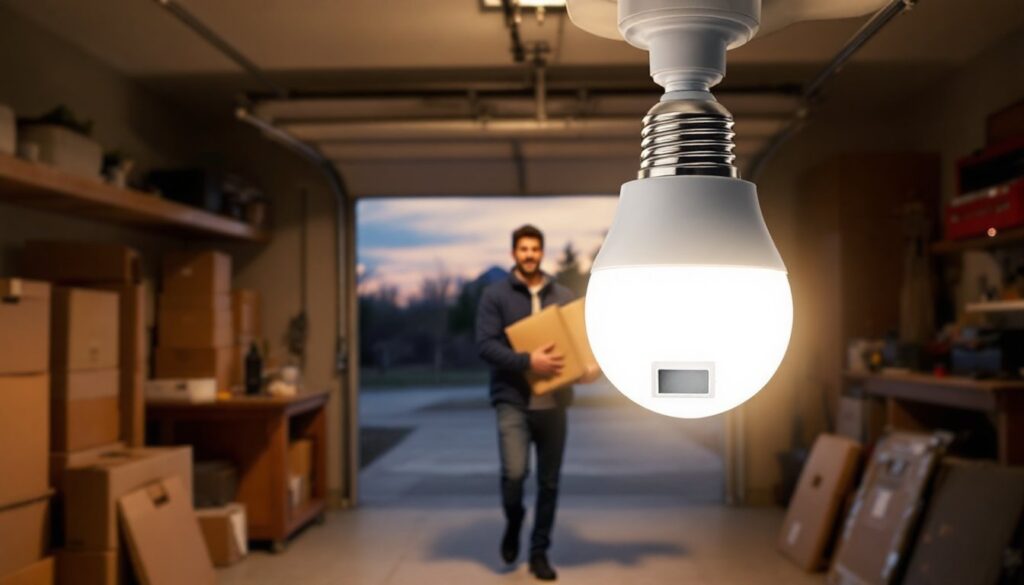
Garages and workshops top the list. Hands are often full with tools, lumber, or grocery bags, and standard switches sit just out of reach. A motion bulb in an overhead socket or workbench fixture ensures instant illumination as soon as you step through the door. Opt for a model with a longer delay setting, three to five minutes, so the light doesn’t cut out mid-project.
Stairwells and hallways benefit from the safety boost. Mount the bulb at the top or bottom landing in an enclosed fixture (most motion bulbs specify whether they’re rated for enclosed use: check the packaging). Detection angles vary, so position the bulb where the sensor has a clear line of sight down the staircase. Avoid placing it where pets or air vents might trigger false activations.
Basements and laundry rooms are ideal candidates. These spaces see sporadic use, and it’s easy to leave lights burning for hours. A motion sensor bulb keeps the area dark when unoccupied, then brightens automatically when you descend the stairs with a laundry basket. If your basement has multiple zones, consider placing bulbs near the stairwell entry and again near the furnace or storage area.
Closets and pantries work well with motion-activated lighting, though you’ll want to disable the photocell (if possible) since these spaces are typically windowless. Choose a bulb with a shorter timeout, 30 to 60 seconds, so the light doesn’t linger after you’ve grabbed your jacket or a can of soup.
Exterior entryways, porches, and side gates are classic applications. Make sure the bulb is rated for wet or damp locations (check for a UL listing marked “Suitable for Wet Locations” if it’s exposed to rain). Placement height matters: mounting too low can trigger on passing animals or wind-blown branches: too high reduces detection sensitivity. Aim for 8 to 10 feet above the ground and angle the sensor toward the approach path. Many outdoor models tested by home product experts perform reliably in varied weather conditions.
Bathrooms can benefit from motion bulbs, especially for nighttime visits. A low-wattage model (5 to 7 watts) provides enough light to navigate without the glare of a full-brightness vanity fixture. Just be aware that some motion bulbs aren’t compatible with dimmer switches or three-way circuits, so verify your existing wiring setup before purchase.
How to Choose the Right Motion Sensor Light Bulb for Your Needs
Start with detection range and angle. Most bulbs sense motion within a 120- to 180-degree arc and up to 15 or 30 feet away. Narrow hallways need less range: open garages or driveways demand more. If the packaging lists both horizontal and vertical detection angles, pay attention, vertical coverage matters for stairs and entryways where someone might approach from above or below the sensor plane.
Brightness and color temperature come next. Indoor spaces typically work well with 800 to 1,100 lumens (equivalent to a 60- to 75-watt incandescent) and a warm white (2700K to 3000K) color temperature. Task-oriented areas like workshops or garages benefit from daylight (5000K to 6500K) tones and higher lumen output. Exterior security applications often use 1,200 to 1,500 lumens to illuminate larger areas and deter intruders.
Check whether the bulb is dimmable if you plan to use it with existing dimmer switches, many motion sensor bulbs are not, and forcing them onto a dimmer circuit can cause flickering or premature failure. Similarly, confirm compatibility with three-way sockets if your fixture has multiple brightness settings controlled by the switch.
Delay settings should match the space. A 30-second timeout works for quick-access areas like closets: a five-minute delay suits garages where you might be unloading a car. Some bulbs offer adjustable timers via a twist ring on the base: others have fixed delays. If you’re mixing multiple bulbs in one home, standardizing on a model with adjustable settings gives you flexibility as needs change.
Photocell override is essential for windowless rooms. If the bulb won’t let you disable the dusk-to-dawn sensor, it may not activate in spaces that never receive natural light. Product specs or reviews often clarify this feature, look for terms like “manual mode” or “24/7 operation.”
Enclosed fixture rating matters for ceiling cans, porch fixtures, and globe lights. LEDs generate less heat than incandescents, but the electronics in motion sensor bulbs are sensitive to temperature buildup. A bulb not rated for enclosed use may overheat and fail early when trapped in a sealed fixture. Ratings are usually printed on the packaging or in the product description.
Finally, consider brand reputation and warranty. While it’s tempting to grab the cheapest option, motion sensor bulbs with poor-quality PIR sensors can suffer from false triggers (wind, insects, temperature fluctuations) or fail to detect motion reliably. Reviews compiled by testing labs often highlight which models balance sensitivity and reliability. A two- or three-year warranty signals a manufacturer stands behind the electronics: anything less suggests a disposable product.
Step-by-Step Installation Guide for Motion Sensor Bulbs
Safety first: Turn off power at the circuit breaker, not just the wall switch. Motion sensor bulbs draw standby current even when the light appears off, and some models include capacitors that can hold a charge. Use a non-contact voltage tester to confirm the socket is dead before touching any metal parts.
Remove the old bulb. Let incandescent or halogen bulbs cool for several minutes if they were recently on. Grasp the bulb, not the fixture, and twist counterclockwise. If it’s stuck, try a rubber jar-opener for extra grip, forcing it can crack the glass or damage the socket threads.
Check the socket condition. Look for corrosion, char marks, or loose contact tabs inside the socket. If the center tab is flattened, gently pry it up about 1/8 inch using a wooden toothpick or plastic spudger (power still off). A poor connection shortens bulb life and can cause flickering.
Install the motion sensor bulb. Align the threads and turn clockwise until snug, don’t overtighten, as the plastic base can crack. The sensor lens (usually a small dome or rectangular window) should face the area you want to monitor. Some bulbs rotate within the base to let you adjust sensor aim after installation: others are fixed, so socket orientation determines coverage.
Restore power and test activation. Flip the circuit breaker back on, then turn the wall switch to the “on” position. The bulb may blink or glow briefly as the sensor initializes, this is normal. Walk into the detection zone. The light should activate within one to two seconds. If it doesn’t, verify the photocell isn’t blocking activation (cover the sensor or wait until dusk) and confirm you’re within the detection range.
Adjust settings if available. Models with twist-adjustable timers or sensitivity dials let you fine-tune performance. Start with mid-range settings and tweak from there. If the bulb triggers too often (e.g., from tree branches or passing cars visible through a window), reduce sensitivity or reposition the bulb to narrow the field of view.
Test the timeout. Stand still in the detection zone and wait. The light should turn off after the preset delay. Walk back into range: it should reactivate. If it stays on indefinitely, check whether you’ve inadvertently selected a manual override mode or if the photocell is malfunctioning.
Document the install date. Mark the bulb base or fixture with a piece of tape noting the month and year. When it eventually fails, you’ll have a record of lifespan to compare against the rated hours and decide whether that brand is worth repurchasing.
One common mistake: leaving the wall switch in the “off” position. Motion sensor bulbs need continuous power to keep the sensor circuit active. If someone flips the switch off, the bulb goes dark and won’t respond to motion until the switch is toggled back on. If household members habitually turn off lights, consider adding a switch guard or labeling the switch “Leave On” to avoid confusion. Technology coverage from sources like Digital Trends often highlights user setup pitfalls and workarounds for smart home devices.
For outdoor installations, ensure the fixture’s gasket is intact to prevent moisture intrusion. Even bulbs rated for wet locations can fail prematurely if water seeps into the socket. Apply a thin bead of silicone caulk around the fixture base if it’s mounted on an exterior wall, and verify the lens isn’t obstructed by eaves or trim that would block the sensor’s view.